APPLICATIONS CENTER
Access powerful business tools designed for Africans.

App Overview
An Advanced AI-Powered procurement and business verification platform built for South African businesses.
South African businesses face a high-risk, inefficient procurement landscape. Manual processes, fraudulent suppliers, and complex government compliance (SBD forms, CIPC, SARS) create significant operational bottlenecks and financial risk for SMEs and enterprises alike.
QuoteEngineSA is an AI-driven procurement and business verification platform that transforms this high-risk activity into an automated, data-driven, and compliant workflow.
QuoteEngineSA is not just another procurement tool; it is South Africa’s AI-powered digital shield against procurement fraud and market inefficiency.
Unlike general search apps or simple price aggregators, QuoteEngineSA is built from the ground up to secure and empower the South African business ecosystem—from small-town wholesalers to major corporate entities.
What QuoteEngineSA is About
At its core, QuoteEngineSA is an Enforcement & Intelligence Platform. It leverages advanced AI to bridge the gap between "finding a price" and "verifying a partner."
It transforms the chaotic South African marketplace into a structured, visible, and safe environment. It doesn't just provide data; it provides Verified Directives for businesses that cannot afford the cost of a scam or a bad supplier.
Distinctive Benefits
- The Inclusion Engine (Anti-Monopoly)
- Zero-Trust Verification Shield
- Live Market Intelligence (Not Static Data)
- POPI Act Native Compliance
- Automated RFQ-to-PDF Pipeline
While general apps focus on big-name retailers (like Makro or Takealot), QuoteEngineSA’s AI proactively sources local SMMEs and specialized wholesalers across all nine provinces. It brings visibility to the "hidden" reliable suppliers that often stay off the first page of Google, promoting true economic inclusion.
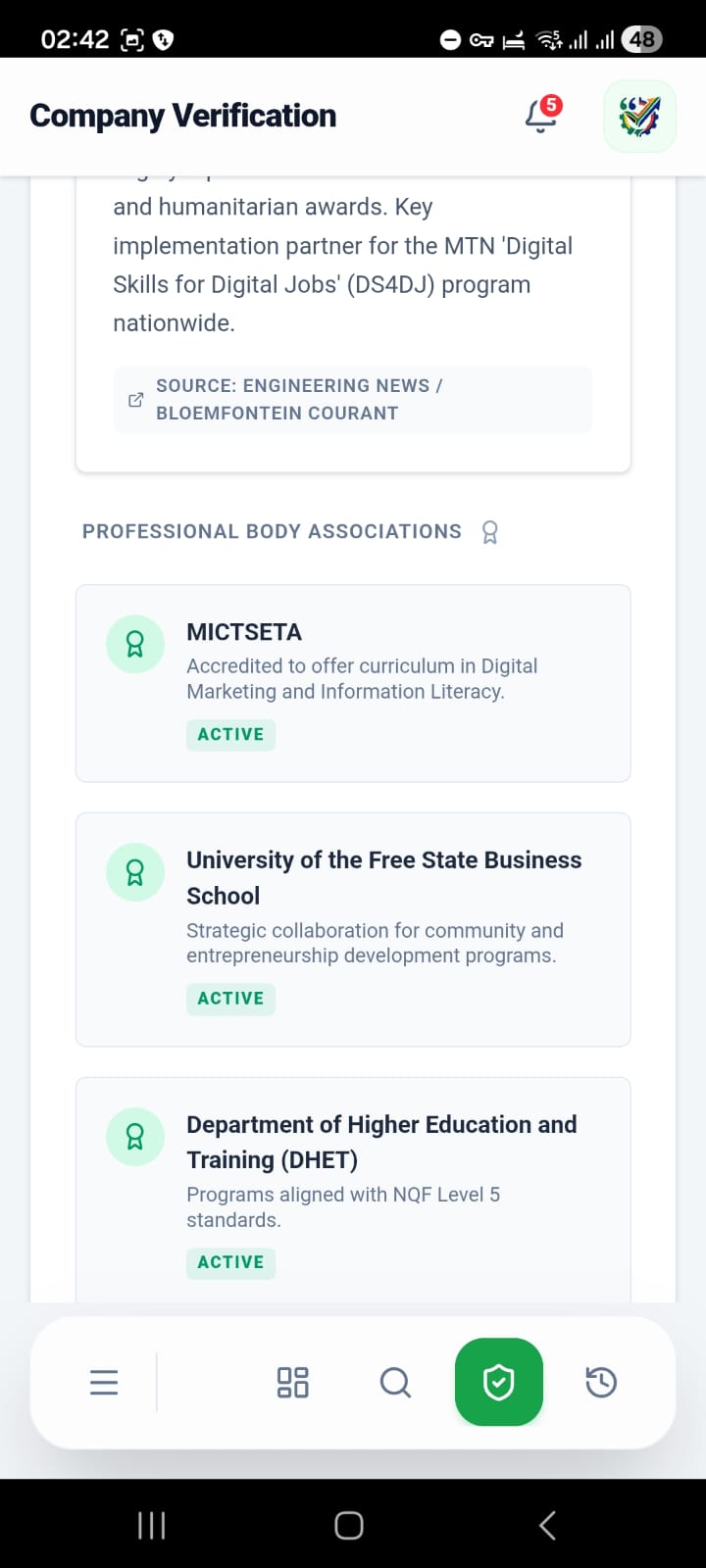
Every quote or supplier you find is run through a tri-layer verification protocol:
- CIPC & SARS Alignment: Automatic checks against company registration and VAT status.
- Digital Footprint Audit: AI analyzes domain age, SSL security, and cross-references addresses to ensure the business isn't a "pop-up" scam created yesterday.
- Physical Grounding: It uses geospatial data to verify that listed commercial addresses are legitimate business premises, not residential houses or empty lots.
Prices in South Africa fluctuate rapidly due to fuel, exchange rates, and stock availability. QuoteEngineSA uses Real-Time Web Intelligence to fetch current pricing at the exact moment you search, rather than relying on stale, cached database records.
Built with the Protection of Personal Information Act at its core, the platform ensures that procurement professional data and supplier lists are handled with the highest level of encryption and legal sensitivity required by South African law.
It removes the "admin tax" on small businesses. In seconds, it can take a list of raw equipment needs and generate a professional, formatted PDF Quote that is ready for submission to government departments or corporate procurement managers.
In short:QuoteEngineSA is the difference between hoping a supplier is legitimate and knowing they are. It is the tactical edge for South African procurement professionals.
*High Fraud Risk: The market is saturated with unverified suppliers, leading to scams and financial loss. South Africa faces a staggering 30% fraud rate in procurement. Millions of Rands are lost annually to fraudulent suppliers.
*Regulatory Red Tape: Navigating CIPC, SARS, and mandatory government SBD (Standard Bidding Document) forms is highly complex and prone to human error. Manual compliance adds 20% of operational costs.
*Inefficiency: Manual quote generation, comparison, and supplier vetting waste thousands of hours for SMEs and enterprises.
*Fragmented Data: No centralized hub exists to instantly verify a business and execute a procurement workflow. Buyers lack a single source of truth for suppliers. Companies waste countless hours searching for information.
1. Getting Started
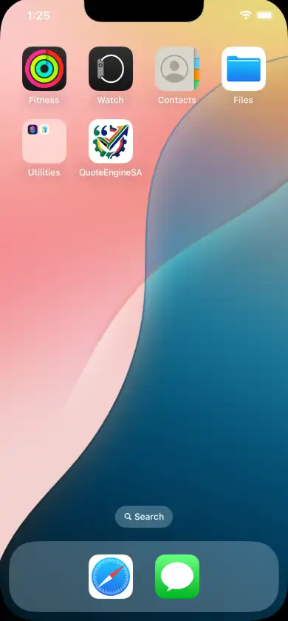
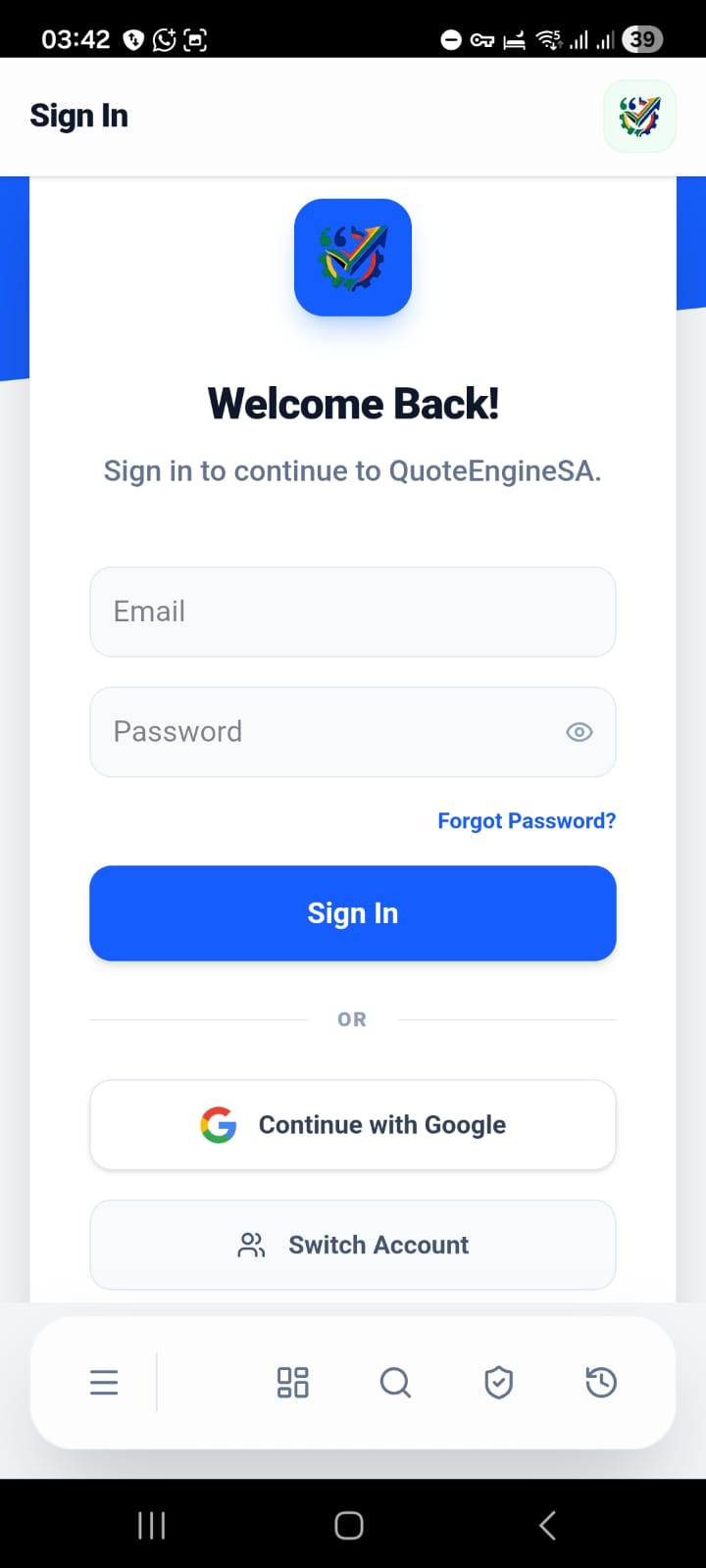
- Sign Up / Login: Click the Sign In button in the sidebar. You can join using your Google Account or an Email/Password combination.
- Profile Setup: Once logged in, visit the Settings page to set your default location and preferences.
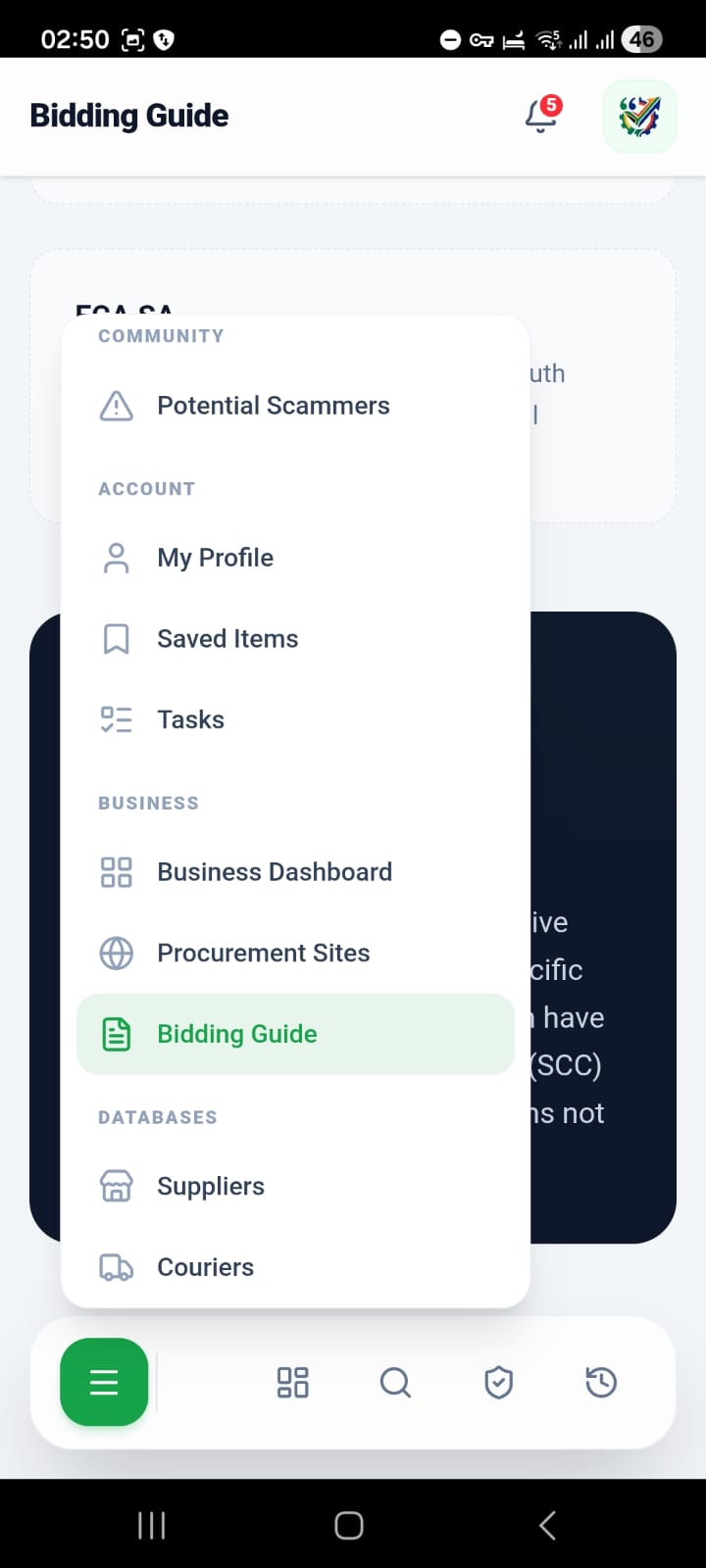
- Navigation: Use the sidebar to switch between the Dashboard, Live Quote Engine, Verification Tools, and Directories.
2. For Procurement Professionals & Individual Buyers
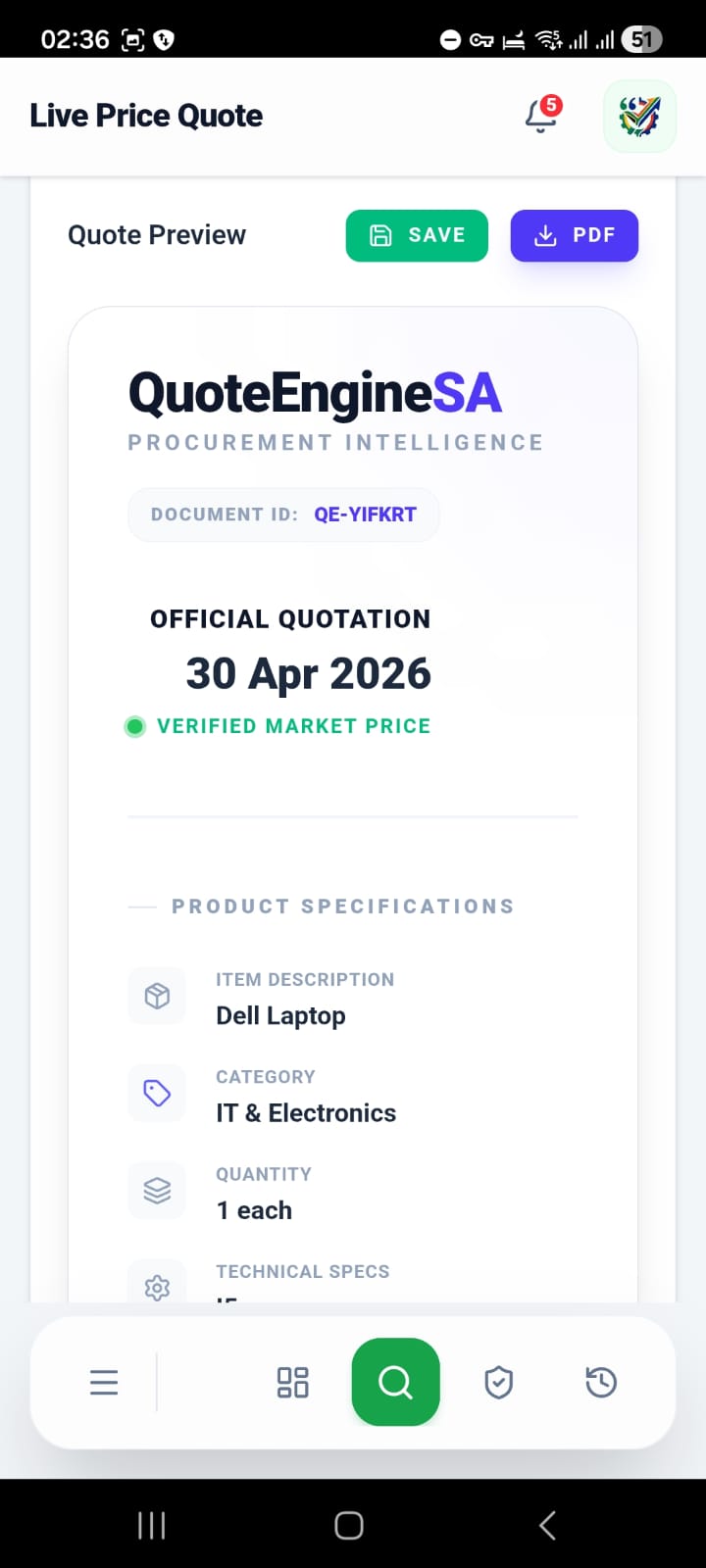
A. Generating a Live Price Quote
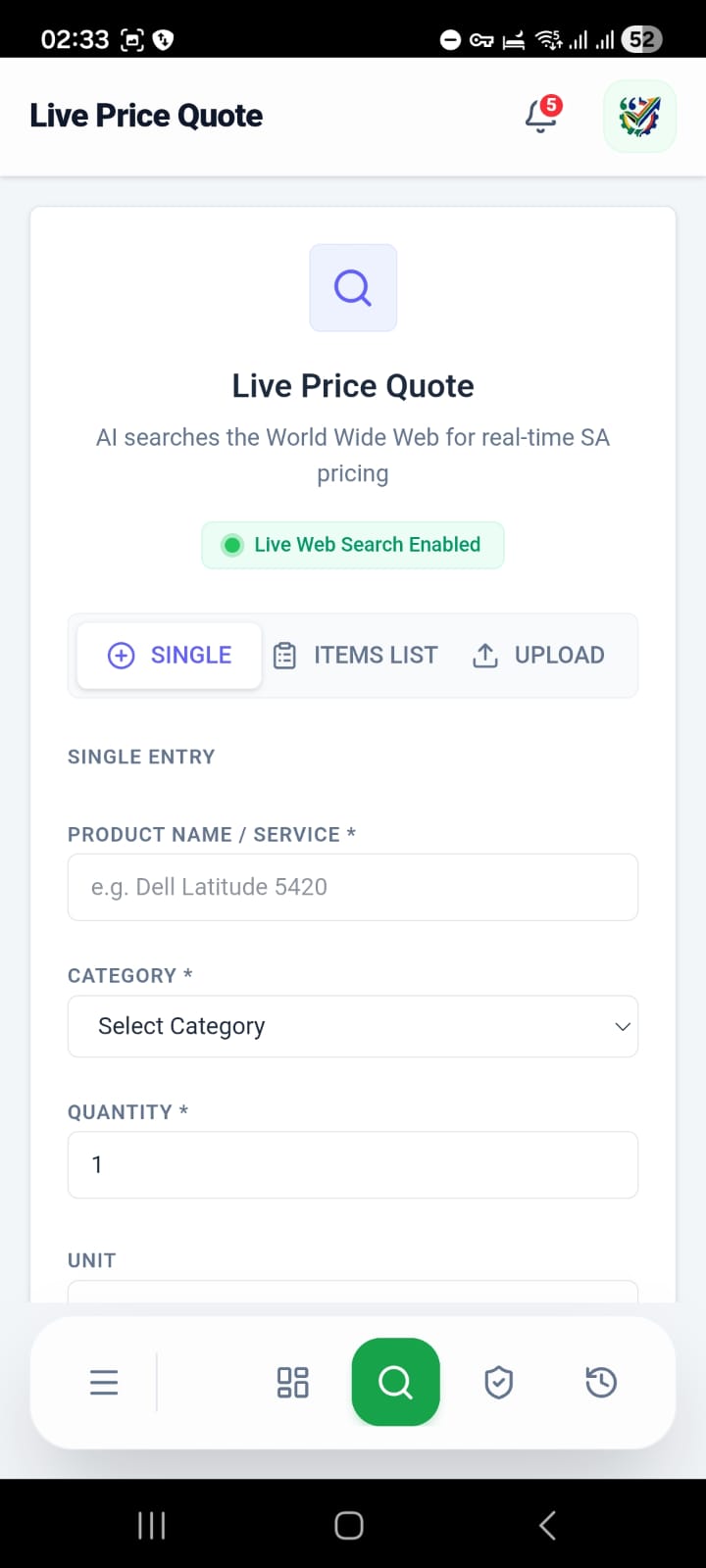
(i) Navigate to Live Quote from the sidebar.
(ii) Choose your search method:
- Single Item: Enter a specific product name (e.g., "Dell Latitude 5420"), category, and quantity.
- Item List: Add multiple items to get a combined market search.
- Upload/Paste: Paste an existing BoQ (Bill of Quantities) or upload a third-party PDF quote for AI analysis.
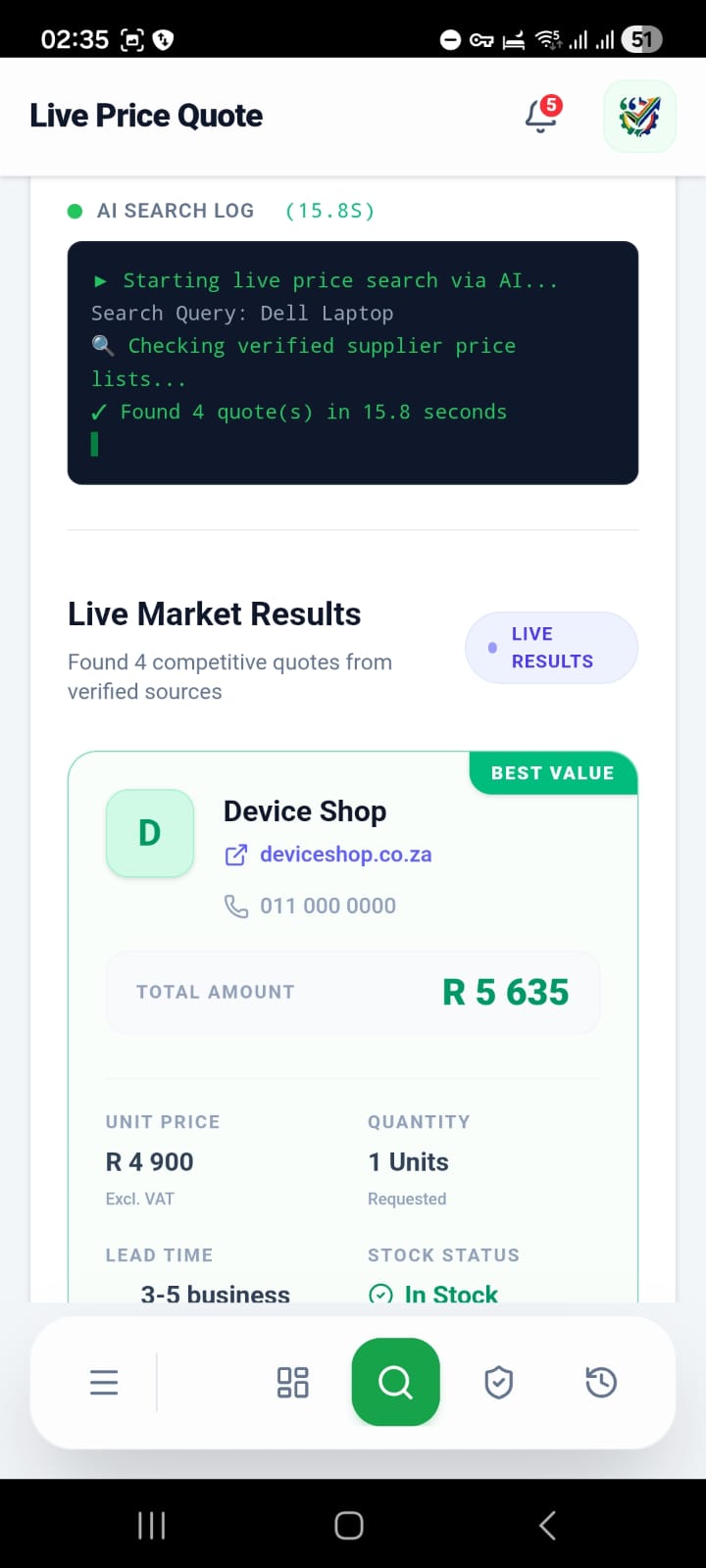
(iii) Click Search Live Prices. The AI will scan verified SA suppliers and the broader web.
(iv) Review Results: Compare prices, lead times, and supplier ratings.
(v) Generate Quote: Click Select this Quote on your preferred result. You can then Save it to your history or Download PDF for internal approvals.
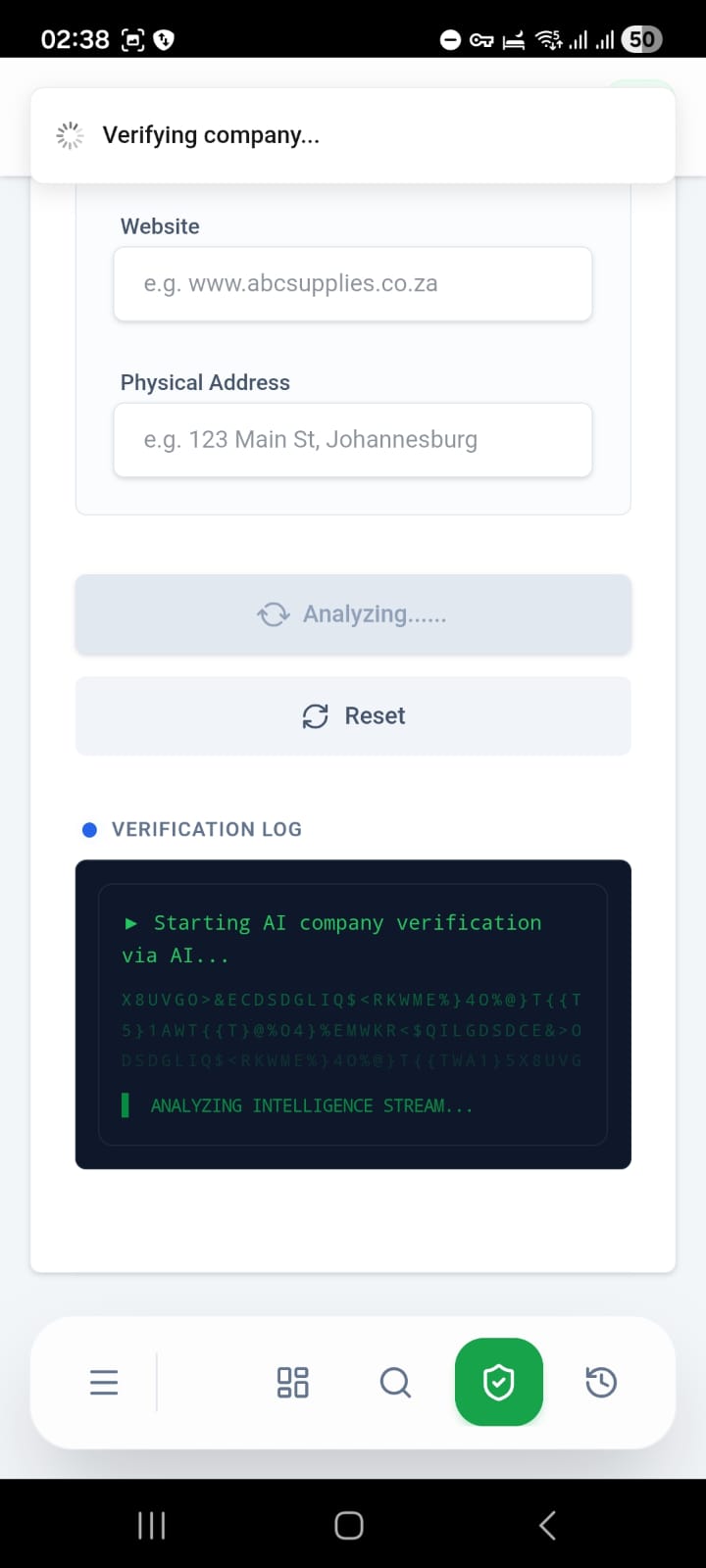
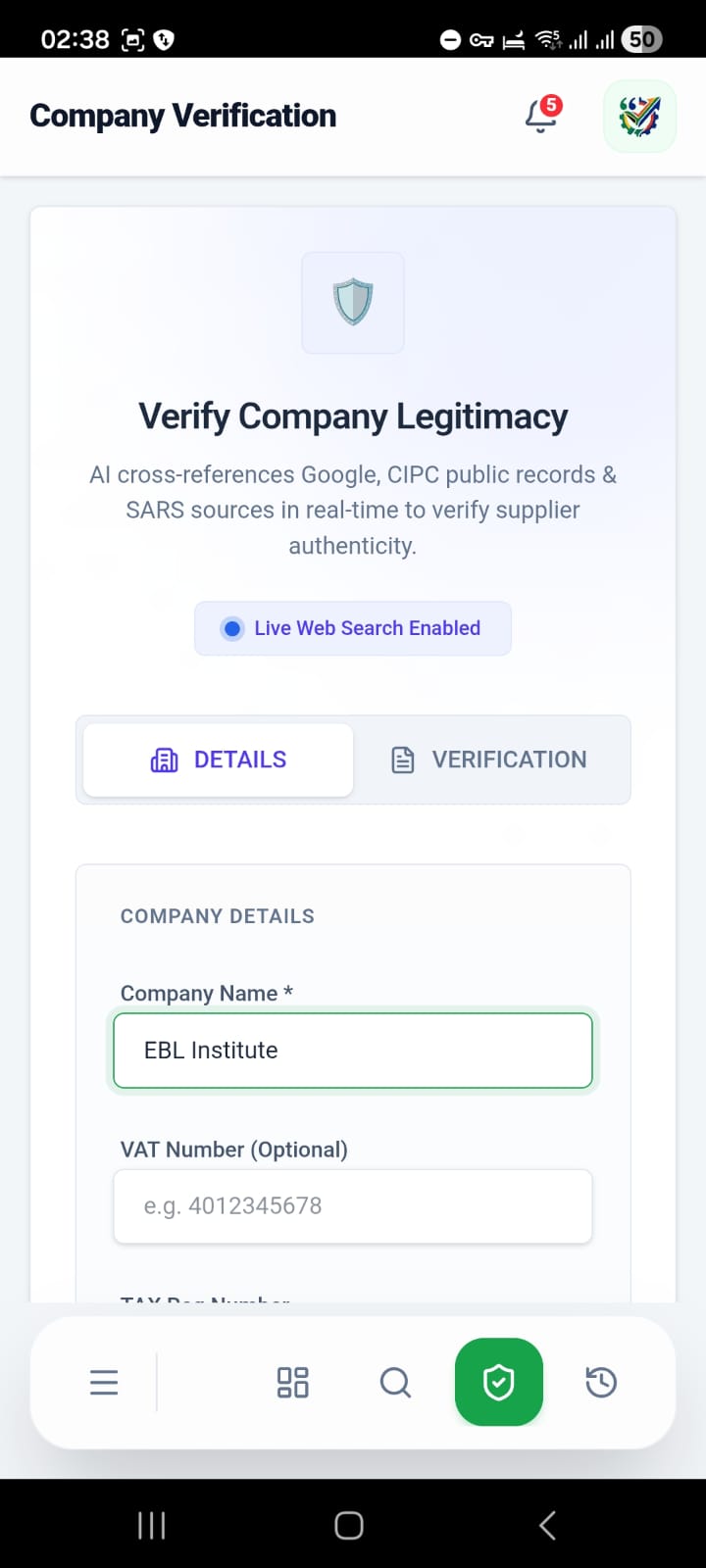
B. Verifying a Company or Quote
(i) Navigate to Verify AI.
(ii) details: Enter a company’s name, CIPC number, or VAT number.
(iii) Doc Verification: Upload a PDF quote or invoice you’ve received from a supplier to check for forgery or red flags.
(iv) Run AI Verification: The system cross-references Google, CIPC, SARS, and online reputation databases.
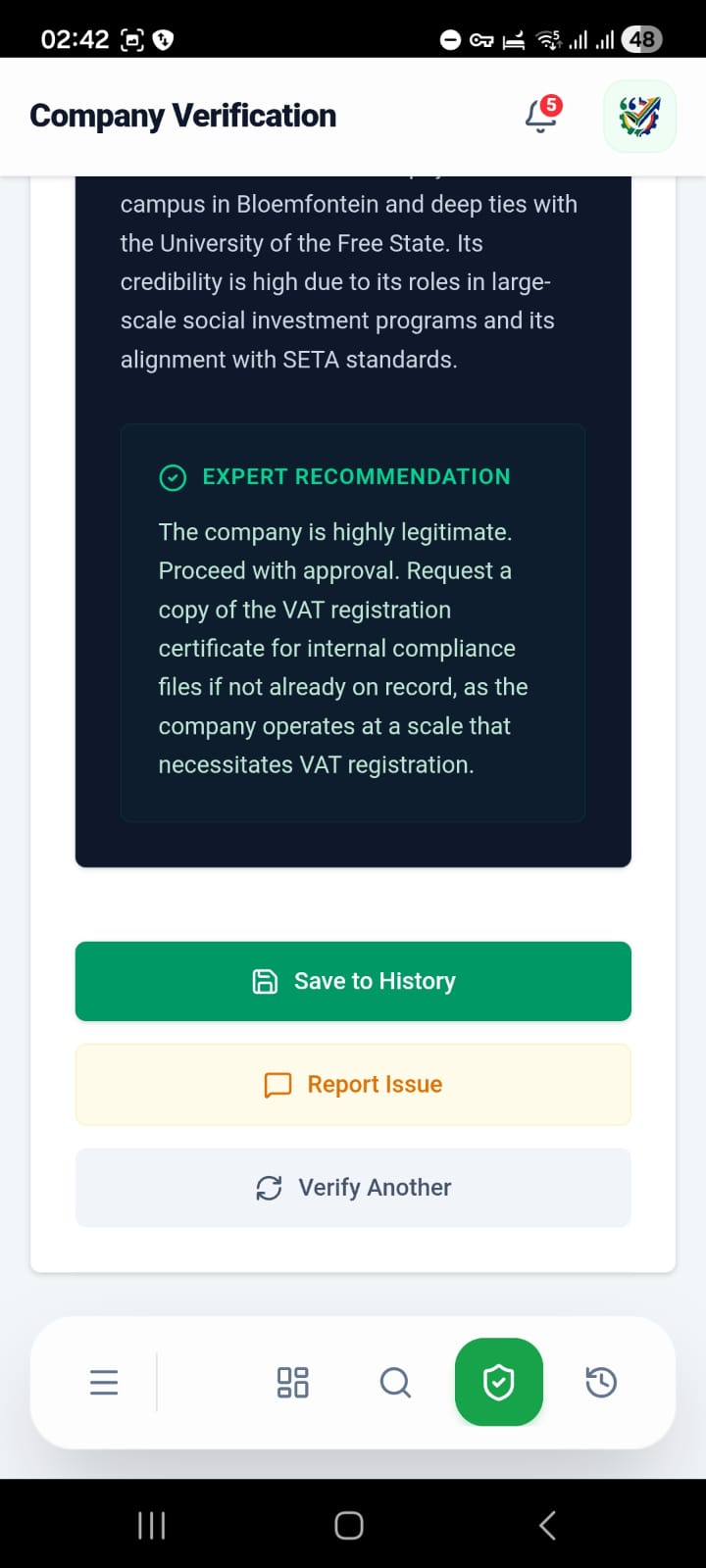
(v) Analyze the Score:
- 80-100%: Verified & Trusted.
- 50-79%: Proceed with Caution (Review Narrative).
- Below 50%: High Risk / Potential Scam.
3. For Business Owners (Suppliers & Couriers)
A. Claiming or Registering your Business
(i) Go to Register Business.
(ii) Claim Business: Search for your company name. If it’s in our pre-verified database, you can claim ownership to manage your profile and pricing.
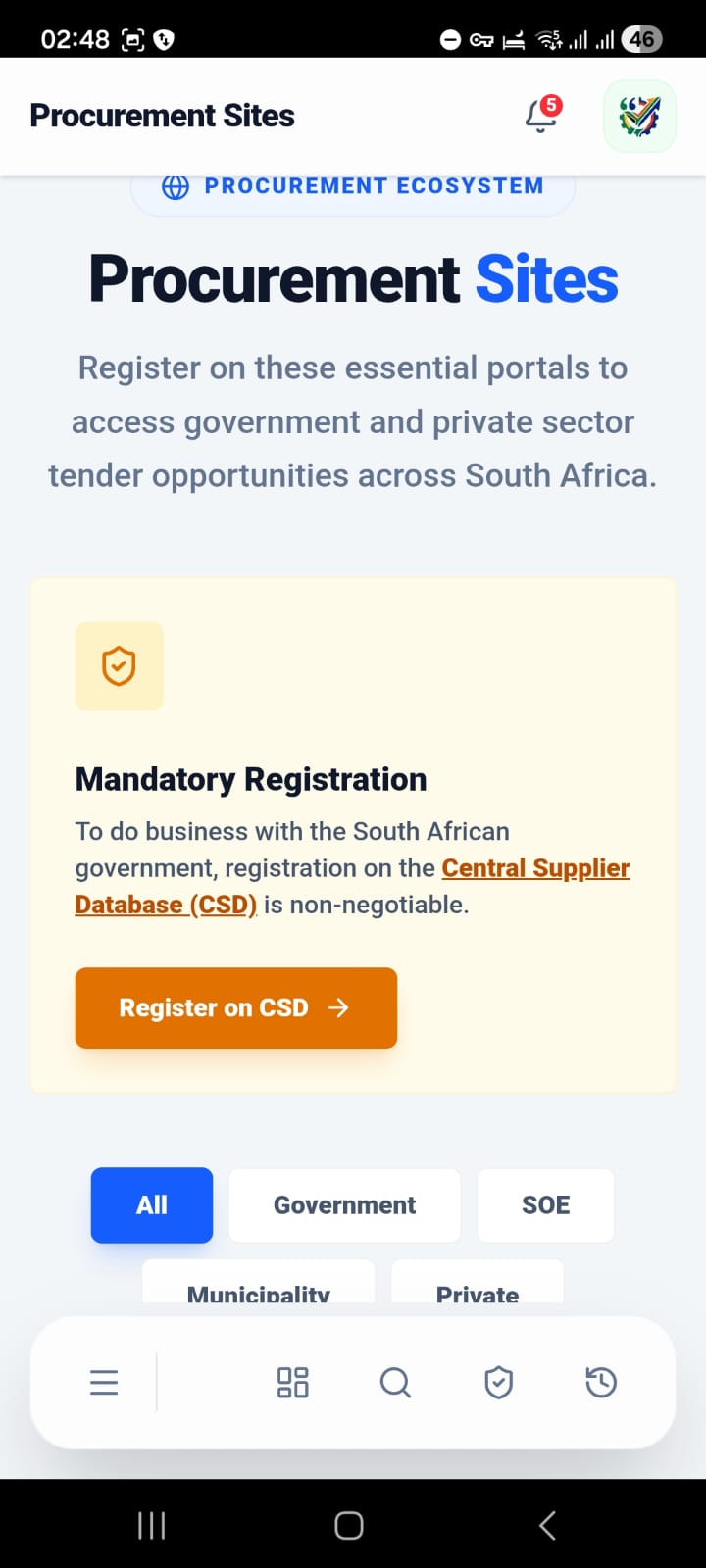
(iii) New Registration: If your business is new, follow the 3-step verification process (Basic details, Document upload like Bank Confirmation, and Final Submission).
(iv) Verification Badge: Once approved by admins, you’ll receive a "Verified" badge, boosting your legitimacy score for buyers.
B. CIPC New Company Registration
(i) If you haven't started your business yet, go to Register Business → CIPC Registration.
(ii) Enter 4 proposed names and director details.
(iii) Upload ID copies.
(iv) Pay the registration fee (Card or EFT). Our team will handle the CIPC filings for you.
4. Exploring the Marketplace
- Suppliers Directory: Browse thousands of SA suppliers. Use the Industry and Province filters to find local partners.
- Courier Database: Find logistics partners. View their verification status and contact details directly.
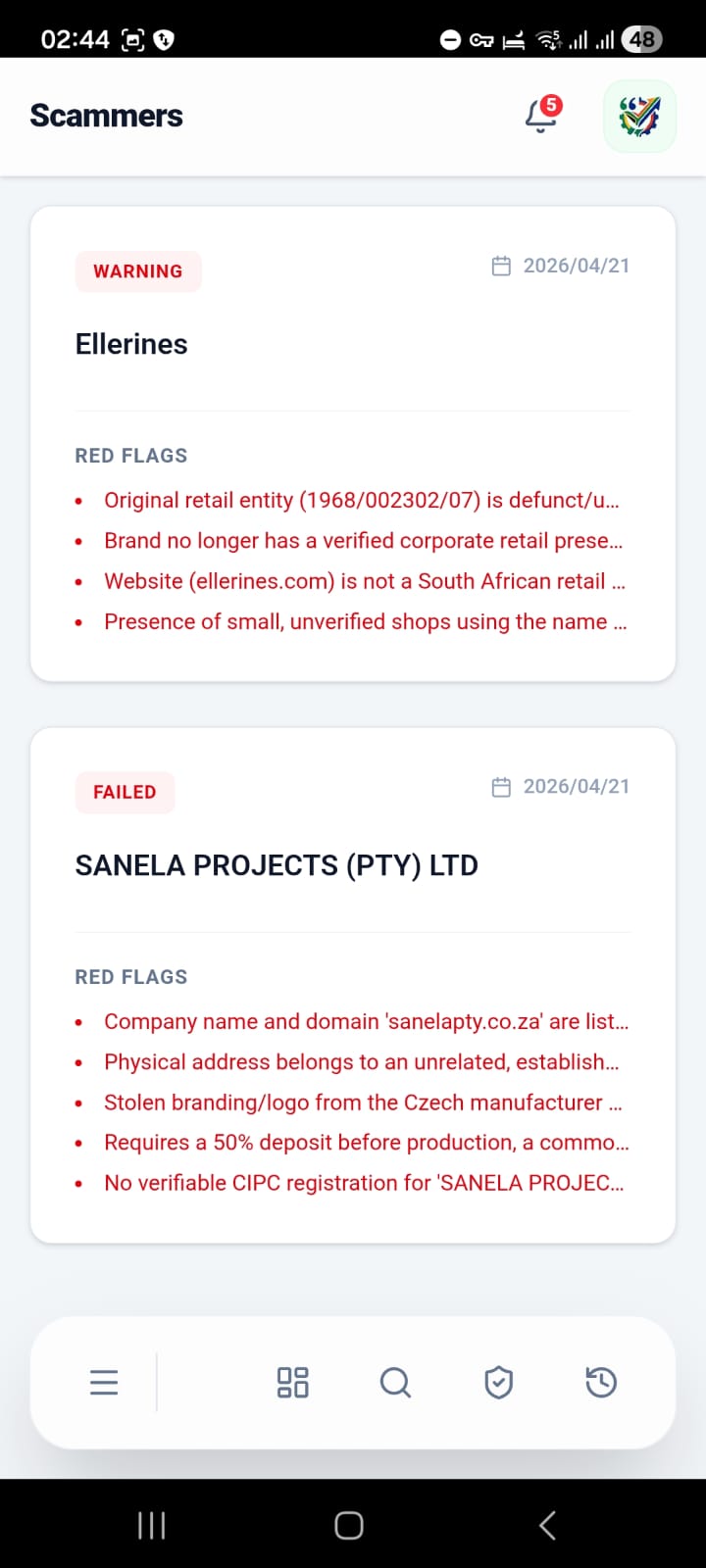
- Potential Scammers: Check the "Potential Scammers" page to see a list of businesses that have failed AI verification, helping you avoid bad actors.
5. Smart Tools & Community
- Saved History: Visit the History tab to retrieve your previous quote searches, audit reports, and site visit logs.
- Community Reviews: Use the "Feedback" section on any Supplier or Courier card to leave a rating. Your feedback helps the AI calculate more accurate legitimacy scores.
- AI Assistant: Click the Chat icon at the bottom right to ask our AI assistant questions about South African procurement regulations, tax compliance, or how to use platform features.
And more...
Tips for Success
Verified only: Whenever possible, choose suppliers with the green checkmark badge—they have undergone manual document verification.
Save your audits: Always click "Save to History" after running a verification; it provides a legal auditory trail for your procurement decisions.
Check Red Flags: In the verification reports, pay close attention to "Red Flags" like domain age or address mismatches—these are often the first signs of a warehouse scam.